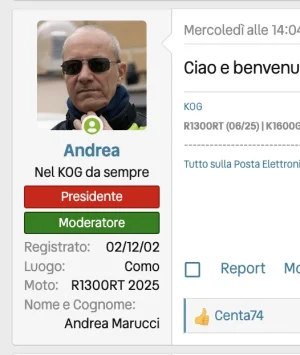
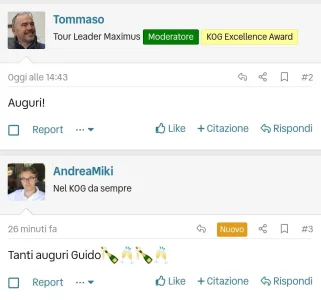
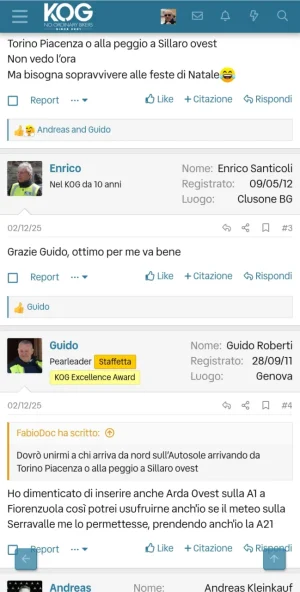
XF 2.3 Postbit in mobile

Ok, solved. I've asked Chatgpt exactly what needed and I got the perfect solution. Well, I'm asking myself why no one but DutchBB and QuackieMackie - whom I thank - has ever replied to my request. But here is the solution!

Put in message_macros right after this block
Code:
<div class="message-userDetails"> <h4 class="message-name"><xf:username user="$user" rich="true" defaultname="{$fallbackName}" itemprop="{{ $includeMicrodata ? 'name' : '' }}" /></h4> <xf:usertitle user="$user" tag="h5" class="message-userTitle" banner="true" itemprop="{{ $includeMicrodata ? 'jobTitle' : '' }}" /> <xf:userbanners user="$user" tag="div" class="message-userBanner" itemprop="{{ $includeMicrodata ? 'jobTitle' : '' }}" /> </div>

this code
Code:
<!-- MOBILE USER FIELDS -->
<div class="message-userMobileFields">
    <dl class="pairs pairs--justified">
        <dt>Nome</dt>
        <dd>{$user.Profile.custom_fields.nomecognome}</dd>
    </dl>

    <dl class="pairs pairs--justified">
        <dt>{{ phrase('joined') }}</dt>
        <dd>{{ date($user.register_date) }}</dd>
    </dl>

    <xf:if is="$user.Profile.location">
        <dl class="pairs pairs--justified">
            <dt>{{ phrase('location') }}</dt>
            <dd>{$user.Profile.location}</dd>
        </dl>
    </xf:if>
</div>
<!-- /MOBILE USER FIELDS -->

and put this code in extra.less
Code:
.message-userMobileFields { display: none; }

@media (max-width: @xf-messageSingleColumnWidth)
{
    .message-userMobileFields { display: block; }
}

Nothing is changed in desktop but here is the mobile. Exactly what I needed. Just wandering why I haven't asked Chatgpt before.

1767977869844.webp
 
Last edited:
Back
Top Bottom