Creating custom User banner styling

Creating custom User banner styling

Paul B

XenForo moderator
Staff member
Brogan submitted a new resource:

Creating Custom user banner styling - More or less

By default, XF comes with the following user banner styles:

View attachment 209097

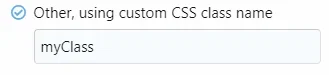
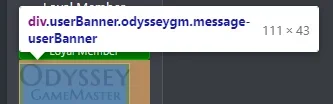
Creating custom styling using the Other, using custom CSS class name option is fairly straightforward.

This guide will explain how to.

The easiest way by far to add new prefix styling and to ensure it inherits all of the core styling is to edit the app_user_banners.less template.

Look for the section in the template highlighted in the screenshot below:

[ATTACH...

Read more about this resource...
 
/* ### User Banners ### */
.userBanner.userBanner--shieldadmin
{
&:before {
.m-faBase();
.m-faContent(@fa-camera);
padding-right: 4px;
}
}
.userBanner.userBanner--starmember
{
&:before {
.m-faBase();
.m-faContent(@fa-var-star);
padding-right: 4px;
}
}
The above cancels out each other if they don't both have the same font awesome icon. Also, only fa-var-star works nothing else for some reason.

I figured it out, it appears to be the the use of "fa-var," for example, fa-var-camera. Why is this? I don't see any icons labeled far-var.
 
Last edited:
Hello, I cant seem to figure out how to add the code so that the banners are disabled on mobile. When I add this code it just disables it for mobile and pc. I copied the code from this thread and tried it, I copied from other posts of people who got it to work and tried it and I also tried on my own and it wont work.

@media (max-width: 165px){
.admin.message-userBanner.userBanner {
font-size: 0px;
background-image: none !important;
}
 
Back
Top Bottom