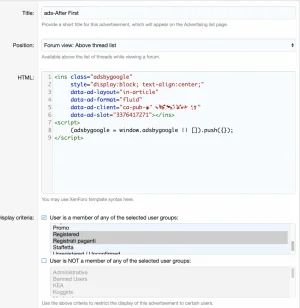
[OzzModz] Google Adsense tips and visual overview of ad positions

[OzzModz] Google Adsense tips and visual overview of ad positions

Additionally I also added data-full-width-responsive="false" which prevents huge ads on mobile devices.
Actually, while this may be true depending on your other ad settings, see


data-full-width-responsive="true"​


We recommend that you set the data-full-width-responsive parameter to "true". Doing so will make your responsive ad unit expand more frequently to the full width of the user's screen on mobile devices. This setting has the maximum potential for increased revenue.

See also

 
Pretty much the same...

Code:
<xf:if is="$post.position % $xf.options.messagesPerPage==0">
    <article class="message message--post">
    <script async src="https://pagead2.googlesyndication.com/pagead/js/adsbygoogle.js"></script>
<!-- after 1st post -->
<ins class="adsbygoogle"
     style="display:block"
     data-ad-client="xxx"
     data-ad-slot="xxx"
     data-ad-format="horizontal"
     data-full-width-responsive="false">
</ins>
<script>
     (adsbygoogle = window.adsbygoogle || []).push({});
</script>
    </article>
</xf:if>
That worked, thank you! I appreciate your help with this.
 
Awesome suggestions. I've a problem with Combined: After First, Middle and Before Last Post. I've inserted other ads and they're working but that one since it display some blank space and nothing inside like in the attach. Code is the same as the other ads (i've used your code and put inside mine from the ad code) but the other ones are working and this one not.

Can you help please?
 

Attachments

  • Schermata 2021-02-05 alle 08.54.56.webp
    Schermata 2021-02-05 alle 08.54.56.webp
    25.7 KB · Views: 11
Could it be this?

First item FAQ:
If you just created new ad space in Google Adsense or you are using new positions then it can take up to a few hours before Adsense will display ads. In the mean time you could see empty ad spaces or even errors.

If it still happens after a few hours, you could check the source code of the page. Locate the ad position and check if the correct javascript code is inserted.
 
AdSense has become super-annoying but it still makes money for many site owners so we put up with it.

1. There should be (and used to be) a way to collapse the blank space if there was no ad to display in that spot or on that page. As far as I can determine, none of those methods work these days. Is that an AdSense bug or Google policy? No idea.

2. The fact that you may see ads in one location and not in another doesn't necessarily mean there's anything wring with your code, although that's a possibility. AdSense tries to match ads to specific page content or at least site content and at any givcen time they may not have any inventory to match a specific page on your site. Previously, they were pretty good at displaying PSA ads instead of leaving you stuck with a blank space but either they have discontinued that policy or they have become very lax in implementing it.

3. You can post the code here if you like, just blacking out your account ID, and we can tell you if there's a problem with it.

4. Are you using AdSense AutoAds? If so, turn those off. They are an absolute nightmare. Google has proven that they have no idea where to put ads on your site, despite their claims to the contrary, and more often than not they mess up your pages, including breaking the page settings.
 
Best way is to find out yourself! It will vary for every forum. Experiment.
For my forum, these are the the best performing positions:
  1. Container content: Above (40%)
  2. After first post (35%)
  3. Container content: Below (25%)
The difference between "After First, Middle and Before Last Post" and "After First" was so little that I decided to use only "After first".

Right now I have enabled auto ads. Just experimenting with this. So far it looks horrible and didn't see more revenue, but I will keep it running for a few weeks and see if it optimizes itself.
 
I enabled auto advert for two days, having 3 auto advert per page, I was able to get good click but seems it reduce my CPC so I couldn't wait to experiment more so I had to disable auto ad.

Best way is to find out yourself! It will vary for every forum. Experiment.
For my forum, these are the the best performing positions:
  1. Container content: Above (40%)
  2. After first post (35%)
  3. Container content: Below (25%)
The difference between "After First, Middle and Before Last Post" and "After First" was so little that I decided to use only "After first".

Right now I have enabled auto ads. Just experimenting with this. So far it looks horrible and didn't see more revenue, but I will keep it running for a few weeks and see if it optimizes itself.
I will have to implement your options: 1, 2 and 3 and see how it works.

I would like to know the performance of your auto advert.
 
Back
Top Bottom