BassMan
Well-known member
Add some padding (uncomment
padding-left in the code). If necessary, add top padding too.
![[cXF] Node icons with image](https://xenforo.com/community/data/resource_icons/7/7490.jpg?1632687528)
padding-left in the code). If necessary, add top padding too.
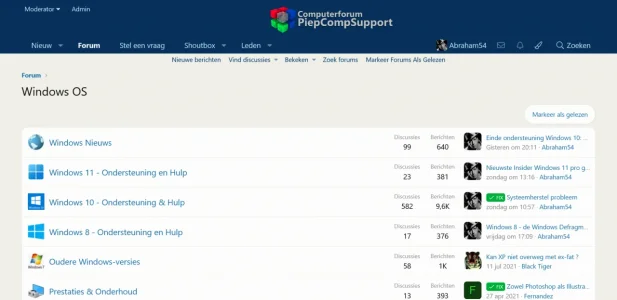
Sorry, but I don't see that style.Now you can, choose PCS-Standaardstijl 2
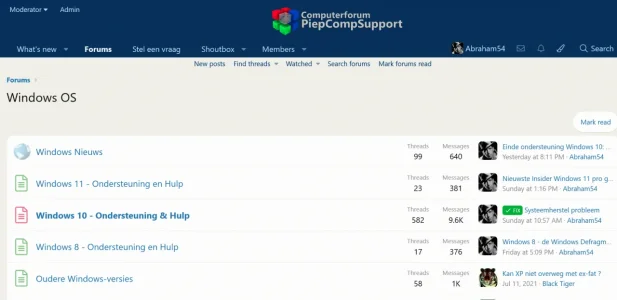
You will see three images - all webp
.node.node--id31.node--depth2.node--forum {
    padding-left: 12px;
}.node.node--depth2.node--forum {
padding-left: 12px;
}.node.node--id140 {
.node-icon i { display: none; }
&.node--forum {
.node-body {
.node.node--id31.node--depth2.node--forum {
padding-left: 12px;
}
}
.node-icon {
background-image: url('/styles/enhance/node icon/office.webp');
background-repeat: no-repeat;
background-position: center;
background-size: contain;
width: 34px;
}
&.node--read .node-icon {
opacity: 0.4;
}
}
}.node.node--id31 {
.node-icon i { display: none; }
&.node--forum {
.node-body {
padding-left: 12px;
}
.node-icon {
background-image: url('/styles/enhance/node icon/techniews.webp');
background-repeat: no-repeat;
background-position: center;
background-size: contain;
width: 34px;
}
&.node--read .node-icon {
opacity: 0.4;
}
}
}
.node.node--id31 {
        .node-icon i { display: none; }

    &.node--forum {
        padding-left: 12px;
        .node-icon {
            background-image: url('https://piepcomp.nl/styles/enhance/node icon/techniews.webp');
            background-repeat: no-repeat;
            background-position: center;
            background-size: contain;
            width: 34px;
        }
        &.node--read .node-icon {
            opacity: 0.4;
        }
    }
}
Haven't tried, but it should go. Add something like this to the code:Instead of single images, can this be done with sprite-sheet?
width: 22px;
height: 22px;
background: url('sprite_sheet.png') no-repeat 0px -22px;
background-size: 100%;
}
@media (max-width: @xf-responsiveMedium) {
    ***
}
Check here: https://xenforo.com/community/threads/cxf-node-icons-with-image.172080/#post-1495755Dear @BassMan How do I set the read and unread icons as two different images?

We use essential cookies to make this site work, and optional cookies to enhance your experience.