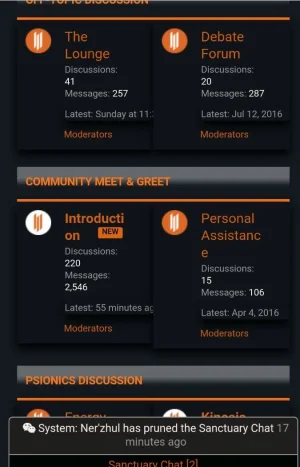
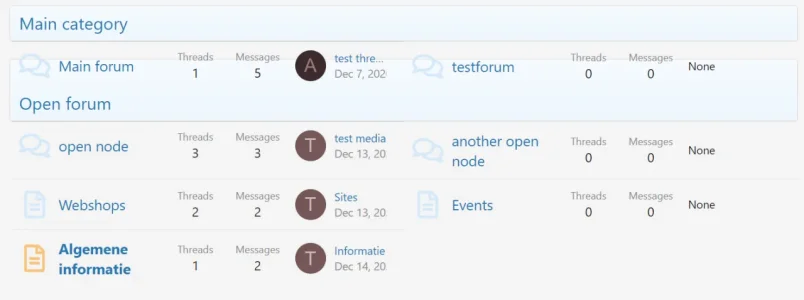
.block-body .node--depth2 {float: left; width: 50%;}
.block-body .node--forum, .block-body .node--link, .block-body .node--page {float: left; width: 50%;}
.block-body .node--depth2:nth-child(odd) {
        clear: left;
    }

/*{xf-helper clearfix, '.block-body'}*/

.block-body .node--depth2 .node-extra {
        position: static;
        width: auto;
        padding-right: 20px;
        margin-top: 0;
    }

    .block-body .node--depth2 .node-main.js-nodeMain {margin-right: 26px;}
    .block-body .node--depth2 .nodeControls {right: 8px;}

/* METHOD 2: SIDE BY SIDE FORUM, PAGE, LINK NODES */

@media (min-width: @maxResponsiveMediumWidth) {

    /*{xen:helper clearfix, '.node-body'}*/

    .block-body .node--depth2 {float: left; width: 50%;}

    .block-body .node--depth2:nth-child(odd) {
        clear: left;
    }

    .block-body .node--depth2 .node-extra {
        position: static;
        width: auto;
        padding-right: 20px;
        margin-top: 0;
    }

    .block-body .node--depth2 .node-main.js-nodeMain {margin-right: 26px;}
    .block-body .node--depth2 .nodeControls {right: 8px;}

    .block-body .node--depth2:last-child:nth-child(odd) {width: 100%;}
    .block-body .node--depth2:last-child:nth-child(odd) .node-main.js-nodeMain {
        margin-right: 270px;
    }

     .block-body .node--depth2:last-child:nth-child(odd) .node-extra {
        width: 210px;
        margin-top: 10px;
        position: absolute;
        padding-right: 10px;
        }

    .block-body .node--depth2:last-child:nth-child(odd) .nodeControls {right: 242px;}